
How Reducing App Overload Helps Us Stay Focused & Save money [2025-Guide]
Nowadays, our smartphones are extensions of ourselves. We use them to connect with others, get things done, manage money, and stay entertained. However, over time, most of us end up using more apps than we should. This “app overload” may seem innocent, but it quietly impacts concentration, productivity, mental clarity, and even financial well-being.
I didn’t realize how much I was losing until I looked closely — a few apps here, a few subscriptions there. It adds up fast. Through close observation and systematic experimentation, we’ve learned that even small, intentional changes to app use can make a big difference.
In this article, we’ll explain what app overload is, how it affects everyday life, how to gradually reduce it, and the small benefits and challenges we’ve encountered along the way. Even if you’re just learning about it, this article is written in a way that anyone can learn and apply.
What is App Overload ?
App overload means having too many apps on your phone. It’s not just a matter of number, but also the impact these apps have on your attention, time, and money.
Explanation: Every app that sends you notifications is at least a distraction. Your brain notices them even when you don’t pay attention. This is called “cognitive interference.”
Too many apps that do the same thing (e.g., three apps for notes or two fitness apps) create redundancy, leading to indecision and useless clicks.
Subscriptions, trial renewals, and in-app purchases are often underestimated hidden costs.
Our experience: When we checked our device, we found that notifications from apps we hadn’t opened in months were bothering us multiple times a day. It was a small thing, but it was distracting us for at least 30-45 minutes every day.
How App Overload Works:
Let’s understand step-by-step how app overload affects attention and productivity.
- Notification Ping: Your phone pings you with a message, social update, or promotion.
- Attention Shift: You mentally shift away from your work, even for a few seconds.
- Micro-Decision: You choose to check, ignore, or dismiss. Every small decision takes mental energy.
- Time Leak: Hours are wasted throughout the day due to multiple notifications and app switching.
- Minor Financial Impact: In-app purchases or hidden subscriptions accumulate without careful monitoring.
Our Personal Experience:
Turning off unnecessary notifications from just three apps drastically reduced our daily micro-distractions.
👉 At first, it felt unusual — like missing something important — but after two days, I noticed how peaceful my mind was. No more buzzing while reading or writing.
We also shared a simple guide on – What Is Digital Distraction- How I Regained focus.
Small Steps to Limit or reducing App Overload (Practical Guide)
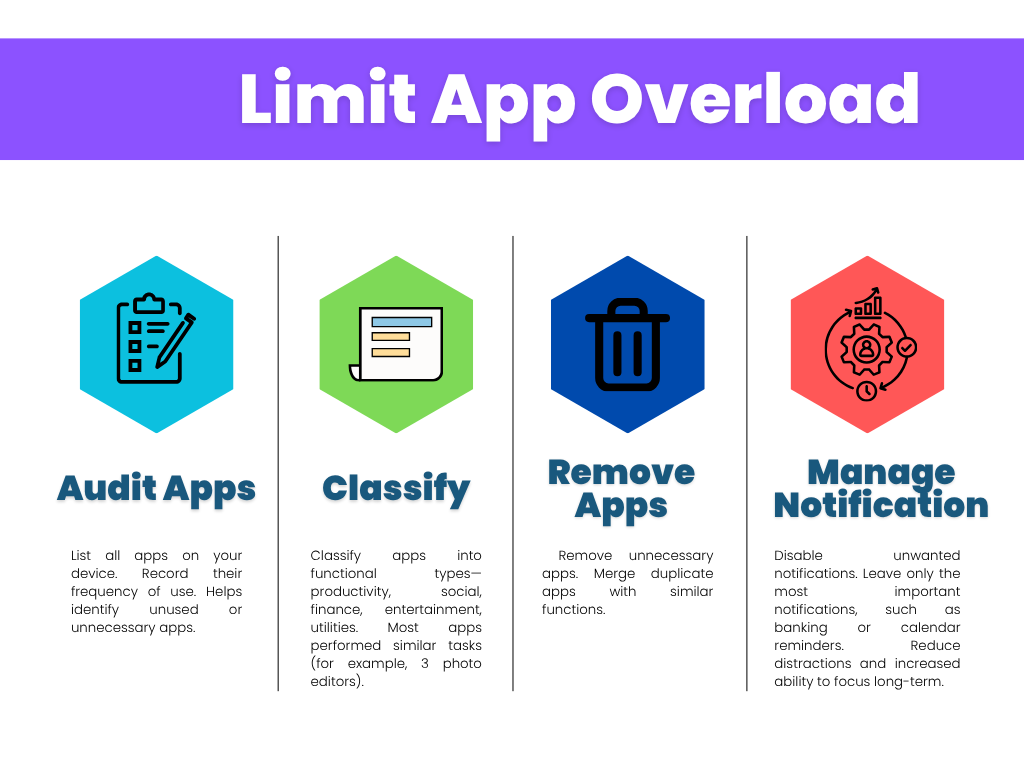
Below is our real 6-step process — simple, practical, and based on digital minimalism principles to overcome app overload.
Step 1: Audit All Apps
Action: List all apps on your device. Record their frequency of use.
Why: Helps identify unused or unnecessary apps.
Observation: When I did this, I was honestly shocked — nearly half the apps hadn’t been opened for weeks, including one paid tool I forgot I subscribed to
Challenge: It took a while to look at each app, but the clarity gained made it worthwhile.
Benefit: Knowing which apps were actually useful.
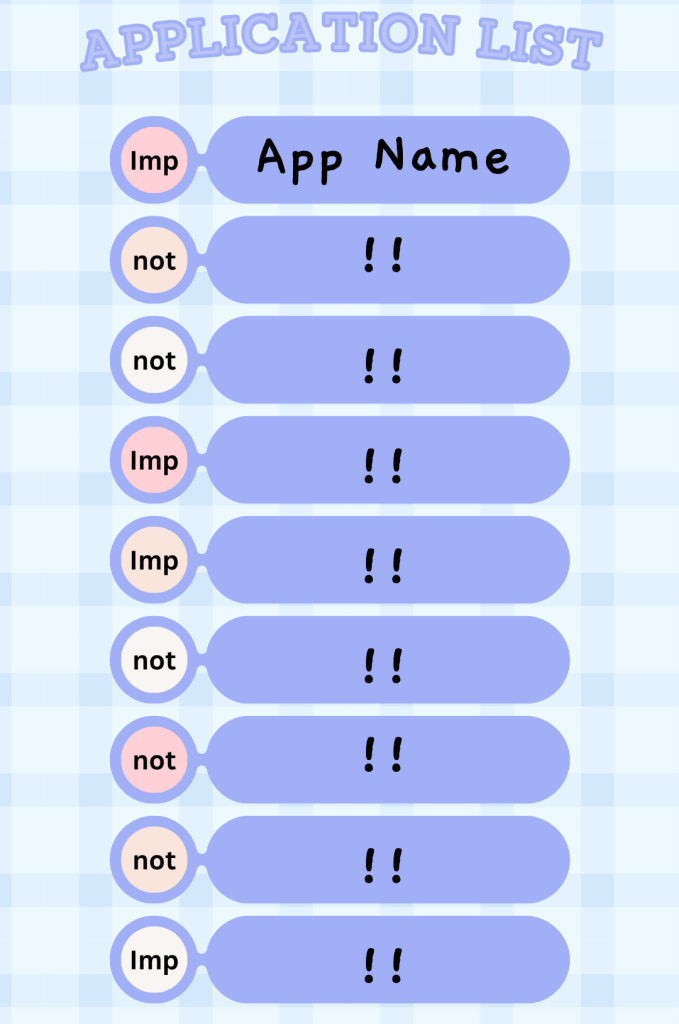
Pro Tip💡- Write the list on paper or a simple spreadsheet. Physically seeing how many apps exist makes the overload more obvious.
Step 2: Classify by Function
Action: Classify apps into functional types—productivity, social, finance, entertainment, utilities.
Observation: Most apps performed similar tasks (for example, 3 photo editors).
Small benefit: We could consolidate or remove unnecessary apps.
Challenge: Choosing the best app for each function required a short-term test.
Step 3: Remove Apps
Action: Remove unnecessary apps. Merge duplicate apps with similar functions.
Small benefit: Faster navigation and fewer distractions.
Example: Merging three note apps resulted in a single app for notes, reminders, and to-dos.
Challenge: Some adjustment time to get used to the merged app.
I also shared a short video on YouTube where I showed my real phone screen — before and after reducing app overload.
You can check it out here: Watch the full video.
Step 4: Manage Notifications
Action: Disable unwanted notifications. Leave only the most important notifications, such as banking or calendar reminders.
Benefit: Reduced subtle distractions and increased ability to focus long-term.
Observation: Receiving one less notification from a sponsored app made it possible to spend some time without interruptions.
Challenge: Had to relearn the habit of constantly checking the phone.
Step 5: Track Subscriptions and In-App Expenses
Action: Write down all recurring charges and in-app expenses on a sheet or in the app itself.
Small Benefit: Avoided losing money without paying attention.
Observation: There were two subscriptions we hadn’t paid attention to that were costing us around ₹350/month. We canceled them, and this resulted in small, regular savings.
Challenge: Keep track of this regularly; we set a monthly reminder.
Step 6: Test and Monitor
Action: Observe how phone usage changes with a streamlined app set. Record the time saved, workflow simplification, and small cost savings.
Why: Testing reveals which apps are essential and which are merely for convenience.
Observation: Even small reductions—like deleting infrequently used games—reduce the frequency of daily phone checks and increase productivity.
Challenge: Some apps seemed “useful,” but after a week, we realized they were rarely needed.
Quick Recap
| 🪜Step | 🎬Action | 💹Core Benefit |
| Audit Apps | List everything | Identify useless apps |
| Classify | Group by function | Spot duplicates |
| Remove | Keep one per need | Cleaner experience |
| Manage Notifications | Turn off spam | Focus improves |
Real benefits seen (general, gradual experience)
- Improved concentration: Fewer digital distractions = easier work and study sessions.
- Time savings: Even a slight reduction in notifications saved 20-30 minutes per day.
- Minor financial savings: Reduced accidental subscriptions or in-app purchases.
- Mental clarity: Simplified home screen reduces visual stress.
- Awareness: Clearer knowledge of which apps are actually useful.
Small changes noticed – After deleting just five apps, my screen time dropped by 40 minutes per day — a small but powerful win against app overload.
💁Practical tips to fix app overload:
- Conduct a monthly app review.
- Group apps where practical.
- Turn off unnecessary notifications.
- Organize all subscriptions in one place.
- Use a virtual card for testing to prevent auto-renewal.
Personal Experience Shared:
We tracked our phone use for one week. Notifications dropped from 94/day to 42/day. The peace was noticeable — not dramatic, but steady.
Balanced reflection (“Some days I missed a few apps, but overall it felt freeing.
Small real experiences (“When I checked my usage stats, I was shocked.
Pros❌ & Cons✅
| Pros ✅ | Cons ❌ |
| Improved focus and productivity | Initial adjustment phase |
| Reduced distractions | little effort to audit and consolidate |
| small financial savings | Modifications required |
| Better awareness of app usage | Little learning curve in app consolidation |
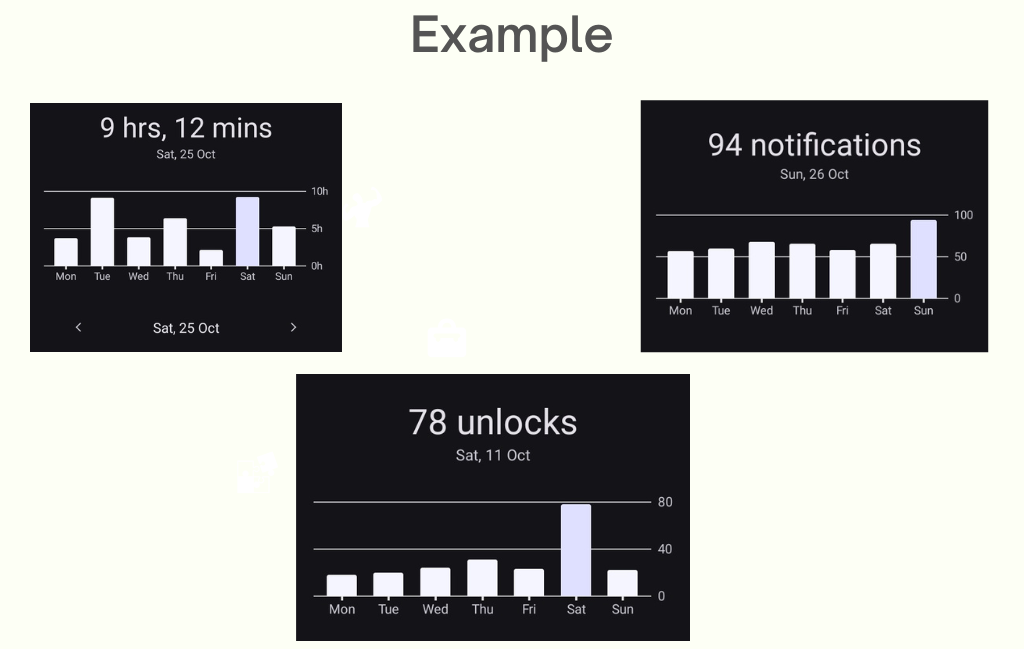
| Before Clean Up | After Clean Up |
| 50+ Apps | 25+ essential apps |
| 90+ daily notifications | 30+ imp. alerts |
| Avg. screen time – 5-10 hours | Less than 5 hours |
| + subscription fees | No subscription fees |
After that, when we finally removed 15 unused apps, everything felt calmer — no more random pings or cluttered screens. It honestly felt like we had cleared the weight of app overload from our phones.
FAQ (Frequently Asked Questions)
Q1: Can reducing app overload really save money?
Ans. Yes, by unsubscribing from unused subscriptions and not making in-app purchases.
Q2: Will removing apps reduce productivity?
Ans. No, removing unnecessary distractions increases concentration.
Q3: How do I maintain minimalism long-term?
Ans. Regular monthly checks and prompt removal of unused apps prevent clutter from building up again.
Q4: Do I delete apps I rarely use but love?
Ans. Keep apps that provide clear enjoyment or value. Minimalism is based on purpose, not deprivation.
✌️Conclusion
Honestly, I never realized how much silent pressure app overload was adding to my daily routine — until I started reducing it step by step. At first, it felt strange deleting apps I’d used for years, but within a few days, I noticed something small yet powerful: my mind felt lighter.
We didn’t follow any expert rulebook; we just observed what actually worked for us. Turning off constant alerts, canceling a few forgotten subscriptions, and keeping only the apps we truly needed made an unexpected difference. Even the phone screen looked calmer — fewer icons, fewer notifications, and somehow, more peace.
What surprised us most was how small actions — like auditing apps once a week — slowly broke the cycle of app overload. Productivity improved, mental clutter reduced, and it felt easier to focus on what really mattered instead of constantly reacting to notifications. For more useful advice, check out our Telegram channel.
We’re not digital minimalism experts — just regular users who wanted more focus. What worked for us might inspire you too.
